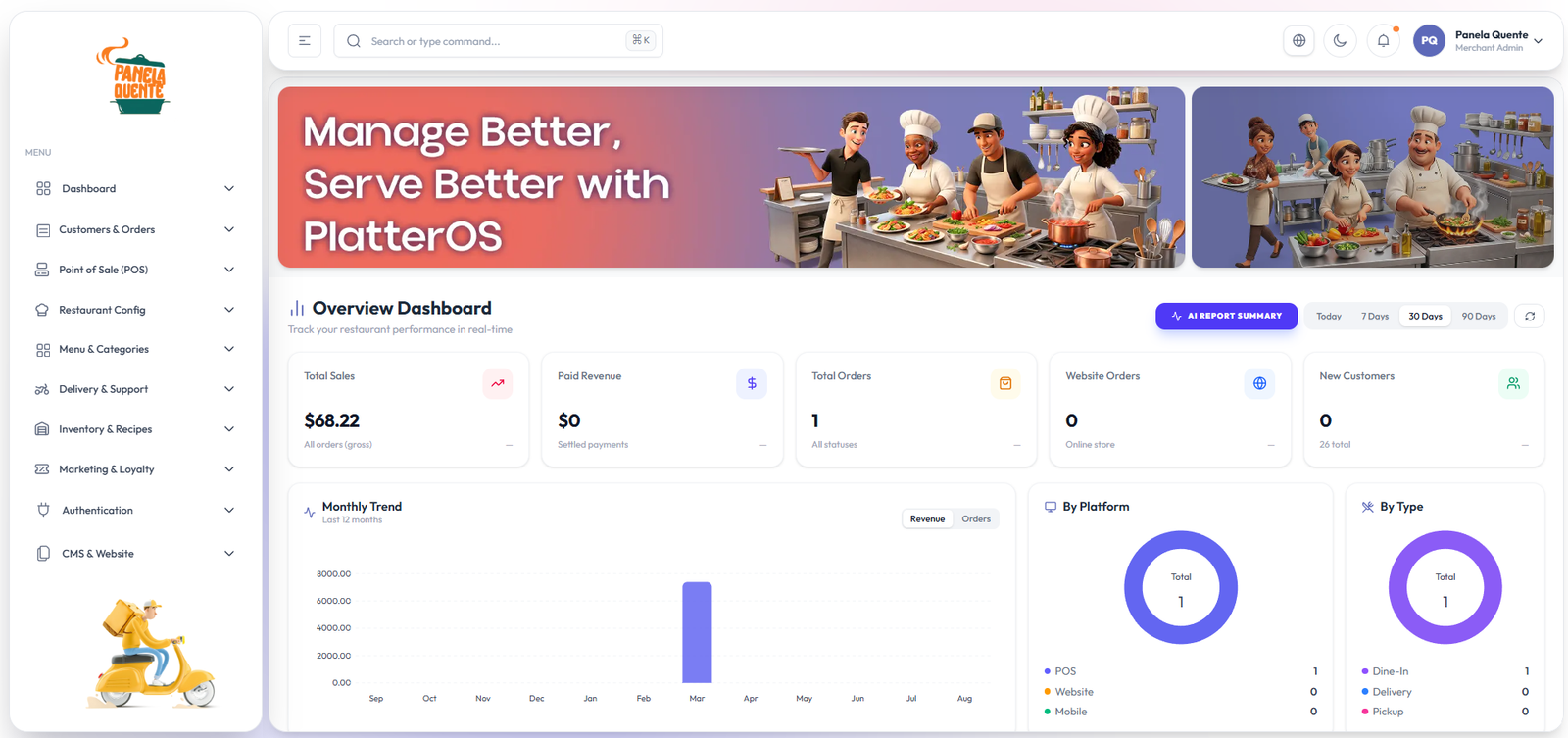
AI restaurant management software brings operational data and everyday restaurant workflows into one connected system. Instead of switching between separate tools for orders, reservations, inventory, customers, reporting, and marketing, operators can see what is happening and act from a shared workspace.
This practical guide explains what the technology should do, where artificial intelligence is genuinely useful, and how US restaurant owners can evaluate a platform without getting distracted by vague promises.
What is AI restaurant management software?
AI restaurant management software is an operations platform that uses restaurant data to automate repetitive work, surface patterns, forecast demand, and support faster decisions. The strongest systems connect the information produced by the front of house, kitchen, inventory process, customer database, and management team.
Traditional software often records what already happened. An AI-supported system can go a step further by highlighting what is changing, what may happen next, and which action deserves attention. It might identify that dinner sales are trending above forecast, flag an ingredient that could run low, summarize performance across locations, or help a manager answer an operational question in plain language.
Why connected restaurant technology matters
A restaurant produces useful data throughout every shift. Orders show demand. Reservations show expected traffic. Inventory movements reveal usage. Guest histories show loyalty patterns. Sales reports reveal channel performance. When these records live in different systems, managers spend time comparing screens and spreadsheets instead of improving service.
The National Restaurant Association reported in 2025 that 83% of restaurant operators said technology provides a competitive advantage. The value, however, depends on whether the technology reduces operational friction. A connected platform should make information easier to understand, not create another layer of administration.
Seven capabilities to look for
1. Live order and reservation visibility
Managers should be able to see new, in-progress, delayed, ready, and completed orders in a clear operational view. Reservation information should support the same picture of the shift, helping the team prepare for expected demand and respond to changes.
2. Real-time inventory management
Useful restaurant inventory software should connect stock levels with actual sales and usage. Low-stock alerts, ingredient visibility, purchase planning, and variance tracking can help teams catch problems before they affect the menu or the guest experience.
3. Sales analytics that lead to action
Reports should answer operational questions, not simply display totals. Look for clear comparisons between shifts, channels, locations, menu items, and time periods. Strong analytics help operators understand why performance changed and which next step may improve it.
4. Demand forecasting
Forecasts can support preparation, ordering, and staffing decisions. The software should explain the signals behind a forecast and allow managers to apply their own judgment. Local events, seasonality, weather, promotions, and unusual trading periods may all affect demand.
5. Customer and loyalty intelligence
A connected guest profile can help restaurants understand visit history, preferences, feedback, and loyalty activity. The goal is to create more relevant service and communication while respecting privacy choices and applicable laws.
6. Mobile and multi-location control
Owners and managers should not need to be in the office to understand the business. Mobile access can make approvals, alerts, and performance summaries available wherever decisions are being made. Multi-location operators also need consistent reporting with the ability to examine one venue in detail.
7. Practical automation
Automation is most valuable when it handles repetitive tasks and highlights exceptions. Examples include low-stock alerts, daily performance summaries, review monitoring, booking assistance, and marketing prompts. Every automated recommendation should remain understandable and reviewable by the restaurant team.
Questions to ask before choosing a platform
- Which restaurant workflows are included in the base plan?
- Does the platform integrate with the systems we already use?
- How quickly can a menu, venue, team, and operational workflow be configured?
- Can permissions be adjusted for owners, managers, and team members?
- How are customer and restaurant data protected?
- Does reporting work across multiple locations?
- Which AI features are available today, and which are still planned?
- What onboarding and support are included?
- Can we test the product before committing?
A sensible implementation plan
Start with one or two high-friction workflows. For many restaurants, that means live order visibility, inventory alerts, or daily reporting. Define the current process, identify who owns it, and decide what success should look like. Useful measures could include fewer manual updates, faster reporting, reduced stockouts, more accurate preparation, or quicker issue resolution.
Next, clean the information that will enter the system. Standardize menu names, ingredient units, location labels, user roles, and reporting periods. Train each team according to the actions they actually need to perform. Finally, review results after the first several weeks and expand only when the initial workflow is stable.
How PlatterOS approaches restaurant operations
PlatterOS is designed as one intelligent workspace for orders, reservations, inventory, customers, restaurant analytics, mobile operations, and growth tools. The aim is to give restaurant teams a calmer operational picture while keeping the information needed for decisions close at hand.
Explore the PlatterOS platform, review the connected restaurant-management features, or compare the available plans. Operators focused on food cost can also read our guide to restaurant inventory management software.
Frequently asked questions
Does AI replace a restaurant manager?
No. The most useful role for AI is supporting managers with faster analysis, clearer alerts, and less repetitive administration. Restaurant teams still provide operational judgment, leadership, hospitality, and accountability.
Can a small restaurant use AI management software?
Yes, if the platform is easy to configure and solves a real operational problem. A single-location restaurant may benefit from connected orders, inventory visibility, customer information, or automated reporting without needing an enterprise-scale implementation.
How long should implementation take?
The timeline depends on menu complexity, integrations, data quality, team size, and the number of locations. A phased implementation is often safer than changing every workflow at once.
See how PlatterOS fits your restaurant
Book a personal walkthrough of the connected restaurant-management workspace.
Sources: National Restaurant Association; Choosing the right AI tools for your restaurant.